Case Study / Adobe
Building Adobe Creative Cloud Assets
The storage and sync platform behind Creative Cloud, built while Adobe moved a desktop business to subscription.
Adobe Creative Cloud Assets (CC Assets) is Adobe’s cloud storage and asset management layer that ties together the various applications in the Creative Cloud suite. It was the inaugural service launched in beta for Adobe Creative Cloud when Adobe announced its move to a subscription business at Adobe MAX in October 2011. By April 2012, CC Assets released alongside the full Adobe Creative Cloud suite of applications and services.
In late 2010, I joined the team that would build the cloud service for a new suite of mobile applications for creators. That vision would quickly expand to become what is now Adobe Creative Cloud and multiple teams from across the organization would be brought together to realize this vision. Ironically, by the 2012 launch several of the projects I led would come full circle and become my contribution to a major business transformation.
Suite and Salty
In the Before Times™️, people purchased software on CDs and DVDs packaged in shrinkwrapped boxes. They would pay once and own that software for as long as it would work on their machines. This was the perpetual license era of software distribution. I joined Adobe in October 2004 as an engineering manager for their Windows installer team (a separate team with a different manager built installers for the Mac). At that time, our team was part of a central technology organization inside Adobe. There was one installer engineer per product per platform alongside a small group of engineers that built the installers for the Creative Suite.
In 2005, Adobe acquired Macromedia and announced that the majority of their products would be added to the Creative Suite. Before this, my team had begun planning for the Creative Suite 3 installers we would need to build. For Windows, our engineers used tools from InstallShield to build installers and they were just starting to support Microsoft Windows Installer (MSI). However, very little was reusable across installer builds and engineers ended up duplicating functionality. One of the most senior engineers on the team had started building a tool that would allow people to declaratively describe the contents and behavior of an installer in an XML file and then pass it to a compiler to build. Not only would this enable reuse of common components across installers it would support building for both Windows and Mac. This would greatly reduce the time and resources needed to build both point product and suite installers for the company.
With the Macromedia acquisition, Adobe would go from a dozen products and two suites to over 30 products and five suites. More importantly, there was no change to the suite schedule to account for the acquisition. The installer compiler was being built in parallel with the CS3 versions of the applications which introduced a ton of risk. Another hurdle to overcome was the introduction of a public beta for Photoshop CS3 and we absolutely needed to have working installers on both platforms sooner than anticipated. I performed the necessary blocking and tackling organizationally while the team pushed hard to complete all the features. The Photoshop public beta was successful but we still had lots to do before the Creative Suite launch. We also had our share of detractors.
Each product team at Adobe at that time was like its own little fiefdom. Some teams welcomed our efforts because we enabled them to reduce how much attention they paid to the installer and instead focus on their application. Other teams wanted their installer to behave in non-standard ways and pushed back on our attempts at streamlining and standardization. Then, there was Acrobat. The Acrobat team was in a completely separate business unit and although their product was included in the suite, they were not going to adopt our installer compiler. To solve for that problem, we created a mechanism to wrap their prebuilt installers and make them appear as if they were built by our tool. When it was included in the suite installer bundle It Just Worked™️.
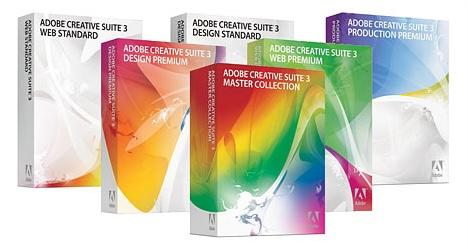
Adobe Creative Suite 3 launched in early 2007. Our installer compiler would be an engineering success in that it marked the first time that installer technology was reused over several Creative Suite cycles. However, the detractors complained enough that the whole effort was deemed a political nightmare. Responsibility for building installers moved to India and our team was rudderless for a while.
Something Meta in the Sky
For much of the Creative Suite 4 cycle, our team acted as hired guns to other teams that needed help integrating core technology. I had grown tired of desktop software and looked towards the cloud. Looking at the portfolio of technologies we had, I tried to pitch building Adobe’s version of Amazon Web Services (AWS). The technology that interested me the most was Extensible Metadata Platform (XMP). We saw that XMP used Resource Description Framework (RDF) under the hood and decided to build APIs on top of an RDF triple store that would give us a hosted metadata service. We called the project XMPlary. I designed the API, the permission model and implemented an OAuth 2.0 service provider. The rest of the team explored various triple store backends and wrote the business logic to properly translate XMP to RDF and back again.
Although we were making great progress on the engineering front, we realized technical achievement would be insufficient. We needed alignment and sponsorship from a product team. We found it in the Digital Video unit as they were looking to solve problems regarding provenance and tracking the creative components used to produce an asset. Almost all Adobe products generated XMP either embedded in the asset or as a sidecar. I pitched XMPlary as the metadata repository that could track generated or modified XMP data from the products. We offered to finish building XMPlary, help the teams with integration and build demos of various use cases. The entire initiative was dubbed Metasky and our CTO declared it “the most important project in the company”. Ultimately, Metasky would not be the most important project for the company but parts of it would live on in the project that was not just important but transformational. Still, XMPlary (later renamed Triad) would ship as an underlying service for Creative Suite 5.
A Storm Is Coming
In late 2010 I officially joined the team that would build Adobe Creative Cloud Assets though they were already building a separate service, Adobe CS Review. CS Review was a collaboration service for Adobe assets. It was built on top of the backend for acrobat.com and used Flash for the user interface. The backend was essentially a black box and the acrobat.com team preferred it that way. If there was an outage that affected CS Review, our team was unable to do much to triage the situation. This was not an acceptable situation for the service we needed to build.
At that time, the majority of our customers were iPhone users. There would be an internal push for us to build Android versions of our mobile apps and that they would be the priority. Flash performed poorly on Android and was not allowed on the iPhone. That provided our team the leverage to build a solution that was independent of acrobat.com. We focused on an API-first approach to building in order to support both the mobile applications as well as a responsive Web frontend application. We codenamed the Web application Stormcloud and built a digital asset management (DAM) experience that was functionally similar to Dropbox.

As we were building, the scope of the mobile apps initiative expanded significantly. Multiple teams across the company were soon invited to offsites at The Presidio and Cavallo Point where the full vision of Adobe Creative Cloud unfolded. This would not only be a technology shift but a transformation of the company’s business model. Moving to a subscription model would change how products were developed and delivered. This would not be a huge change for the Stormcloud team as we were already ahead of other teams when it came to the use of continuous integration, immutable infrastructure and feature flags. Our single page Web application worked well on the desktop, tablets and phones. Other teams, even acrobat.com, would eventually use many of the tools and processes we had adopted.

Adobe Creative Cloud was announced in October 2011 at the Adobe MAX conference in the LA Convention Center. Alongside the announcements of Adobe acquiring PhoneGap and Typekit, the beta version of CC Assets was shown to the world as part of the overall vision for Creative Cloud. Sitting in the audience with the rest of the team was a career-defining moment and there would be plenty of celebrating over the next few days. There was one small mishap though… as people watched the CC Assets demo on stage some people saw the URL and tried to load the application. In the rush to get everything ready for the conference, we forgot to put in a rule to redirect http:// to https://. Since most people did not explicitly type https:// they were met with an error. When the keynote ended, our director relayed the angry messages he was receiving while we tried to push new proxy rules via overloaded WiFi in the convention center. Eventually, the problem was resolved and we avoided turning a pivotal moment into a catastrophe.
The Creative Cloud launch at MAX was a pivotal moment but the real test would come the following year. We had established the overall vision but still needed to execute the business model transformation. This required offering all of our products via a subscription: desktop, mobile and services. We worked with multiple teams to integrate identity management and billing. The most complex component was the app store interface that was being created for the products. It would need to dynamically download and install the products that were selected. Luckily, Adobe was still using the installer technology we had built years earlier. This allowed us to generate the required manifests to create a virtual suite builder. The manifests would be included with the setup bootstrapper and then download and install the chosen applications. We had no idea at the time we were working on the installer compiler that we would eventually be building Creative Cloud. A combination of good software design and serendipity contributed to the successful transition of Adobe’s business model.
Conclusion
Adobe Creative Cloud Assets continued to evolve over time. A Dropbox-like desktop sync application was added to simplify working with large Creative Suite files. New mobile applications were created and more collaboration features were added. One of the final features the team worked on during my tenure was Creative Cloud Libraries (CC Libraries). CC Libraries let you save and organize reusable assets (colors, character styles, graphics, brushes) that sync across apps and devices, useful for maintaining brand consistency across a team.
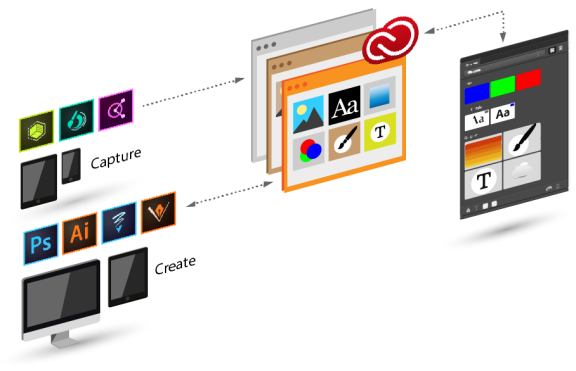
Building Adobe Creative Cloud was an amazing journey. Even more amazing was how the projects I had led prior to Creative Cloud played a part in its creation and success. Several of the engineers that worked on the installer compiler continued to work with me on Metasky. Others that had moved on after CS3 rejoined the team for Creative Cloud. I was fortunate to work with so many incredibly talented and passionate people and even more fortunate to have led an effort that had significant impact on an iconic business.